
Telehealth
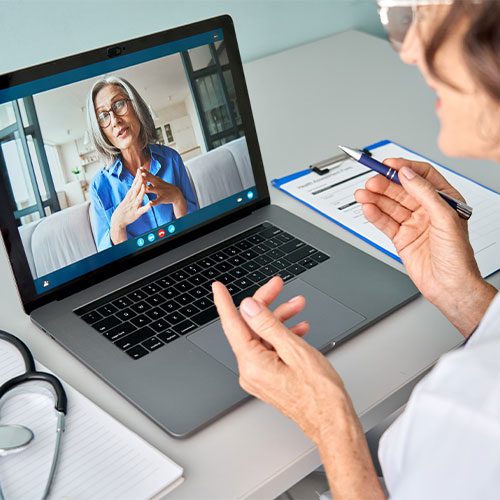
NOAH’s telehealth program connects you with your chosen provider remotely using a phone, cellphone, tablet, laptop, or desktop computer. These scheduled appointments are just like a normal appointment and your insurance company will be billed like normal too. For non-emergency concerns, patients ages 2 and older can get a diagnosis or prescription online from a healthcare provider in as little as 10 minutes via a telehealth visit.
Appointments Include
- Annual Exams for Adults and Children
- Sick Visits
- General Medical Concerns
- Medication Refills
- Chronic Condition Management
- Counseling
- Psychiatric Appointments
- Nutrition Services
Frequently Asked Questions
How do I check in to my video telehealth appointment?
1. Your video visit requires a computer, tablet, phone, or other device with a camera and microphone.
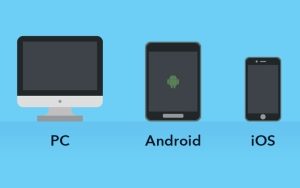
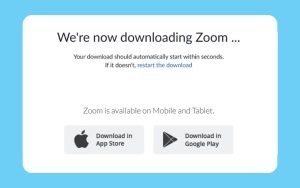
2. Download the Zoom App
– Go to the App Store or Google Play Store on your device
– Search for Zoom
– Download/install the Zoom application (it’s free!)
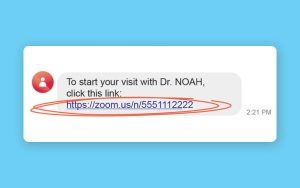
3. Check Your Email or Text
Click on the appointment link provided by text or email message (actual link text will vary).
4. Click the Pop-Up
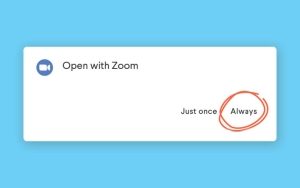
Watch for an on-screen prompt to open with Zoom. Choose “Always”. Some devices may automatically redirect you to the Zoom App.
5. Wait for Meeting
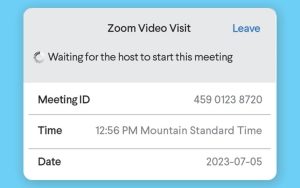
A screen will appear that reads “Waiting for the host to start this meeting.” (DO NOT click Sign In)
6. The Provider will Start the Meeting
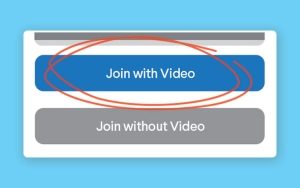
Once the provider has started your meeting, you will be promoted to start your video.
7. Select Audio
Select the option to use audio based on the type of device you are using.

8. Begin Your Visit
Who participates in NOAH telehealth?
NOAH Medical, Behavioral Health, Psychiatric and Nutrition providers can use telehealth to see patients or to consult with other care providers.
What can NOAH telehealth be used for?
NOAH telehealth has many applications for your care, including standard clinical care, counseling or therapy, health education, professional consultation or supervision, and more.
Where can NOAH telehealth be provided?
NOAH telehealth can be provided to you at home or work, or at another clinic or hospital. Now with mobile devices, you can receive care anywhere you have access to the internet or a phone.
Is there an additional cost?
There is no additional fee for a telehealth visit versus an in-person visit. NOAH will work with your insurance to get these visits covered.
Do I need to create an account?
No, as a patient you actually don’t need to create an account with us to see your provider. You can simply go to the link your provider sent you via text or email. You will check in and your provider will start the call when they are ready.
Proud Member